Gaming Mouse Breakdown

Logitech MX Optical Engine

This is the mouse we will be looking at, it is a very popular gaming mouse used by many professional gamers for a variety of games.

In-game sensitivity switching to 1,600, 800, and 400-dpi resolution

DPI is Dots Per Inch, since pixels are actually small rectangles or boxes this is a vague term that has come to measure the accuracy of computer mice. The higher DPI of 1,600 allows you more accuracy but only if the processing can keep up. Professional gamers have their own preferences on 1,600 800 or 400 this is why this mouse allows you to use any value you prefer. The one thing that is definite is no one needs a mouse with more than 1,600 DPI.
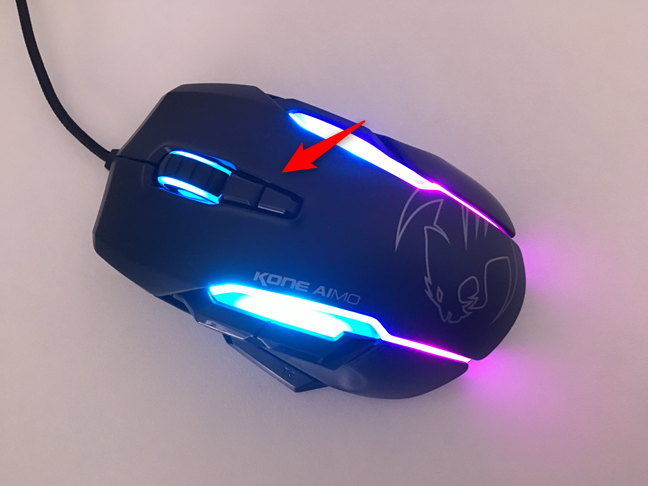
5.8 megapixel/second image processing

This determines the responsiveness of your mouse, the maximum acceleration and the maximum speed. To break it down:

5.8 Mega – Mega is the engineering term for 10^6 so 5.8 Mega is 5,800,000

Pixel – If you zoom in as much as possible on an image you will see a single box which is one pixel.

/Second or Per Second – This is stating that the mouse sees 5,800,000 pixels per second Image Processing – Tells you that not only does the mouse see 5.8 million pixels per second it processes it at the same rate to create quick seamless movement. So a 5.8 megapixel/second image processing is needed for the 1,600 DPI creating the smooth motion and accuracy you want as a gamer.

Up to 15 g of acceleration

Acceleration many already know the rate an object in this case the mouse is increasing in speed. What is obscure is the g. 15g means 15 times more acceleration then free falling. To help put this in perspective a formula one race car accelerates at roughly 6g, the Apollo 16 on reentry reached 8g and a fighter jet can reach 12g. So if you believe your arm can accelerate at the same speed as a fighter jet this ‘feature’ might interest you but for the rest of us this can be ignored.

Expanded 16-bit data format supports blazing fast moves with pure precision

Expanded 16-bit data format, what is a bit? A bit is a single digit that can be 1 or 0. So a 16-bit data format is simply 16 0’s or 1’s. Every move you make on your mouse or button you press is sent to the computer through data packets. The size of these packets and how much information they contain is based on the format and how many bits of data. The more bits the better it allows the mouse to keep track of accelerations and movements for more directions and allows more buttons.

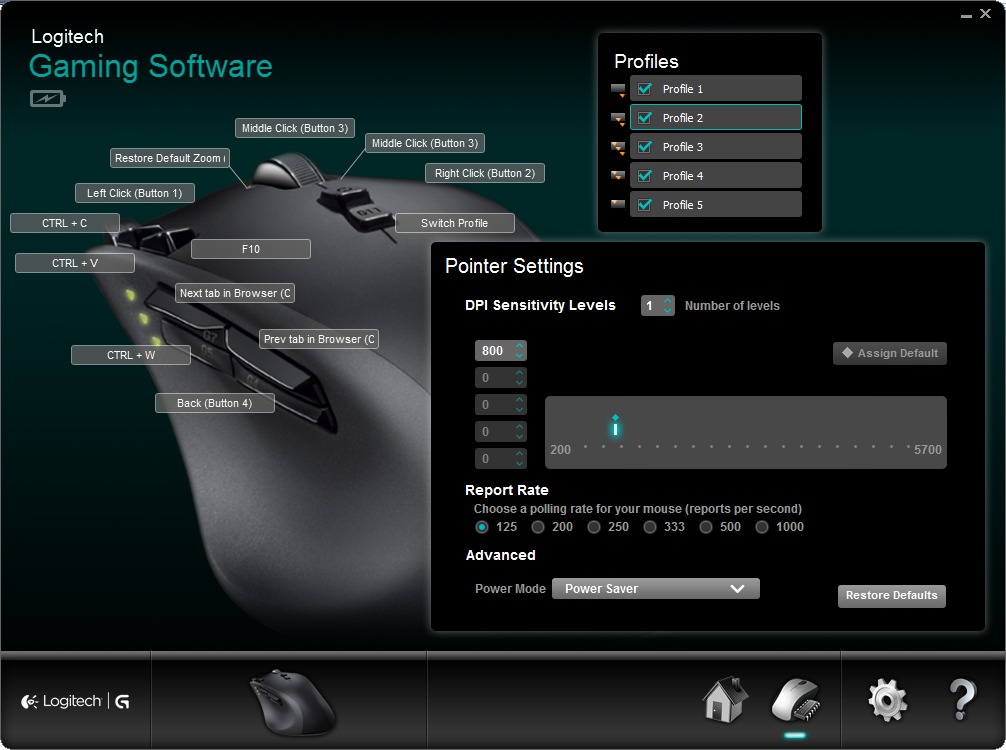
Advanced gaming software, exclusive to Gaming-Grade mice, for up to five custom sensitivity settings

This is a great feature for gamers who like to play more than one game or do multiple things in one game. For example if you play a sniper you can simply press a button to go from ultra sensitive while sniping to twitch while running around with your handgun.

Super-slick gaming feet for effortless, precise tracking

No detailed information about the material used for the feet is included. This can be ignored and assumed to be the same as every other mouse unless they actually include the materials they use to give them an edge.

Contoured grip ensures peak performance and comfort-even in the most intense gaming sessions

Have a small hand, a large hand? They can’t design one mouse for every person so they go with the average person and make it comfortable for them. Good business but for those without an average sized hand be weary of promises of a comfortable fit. To clarify this mouse is designed for the male hand sized 189 mm so if you measure your hand and find it to be more then 20mm from this you may want to consider something else. As for women a smaller mouse is ideal as the average woman’s hand is 172mm.
Razer Abyssus Review – A Quality Gaming Mouse

Razer is an American computer peripheral manufacturer specializing in gaming hardware; including mice, keyboards, and speaker set ups for avid gamers. They are well regarded in the gaming industry, with their products receiving favorable reviews and ever increasing sales. This article is a Razer Abyssus review of one of their most popular products yet.

The main features of good gaming mice include special LED lightups, extra programmable keys, and a high DPI resolution. The Razer Abyssus may be a disappointment to some gamers, as this model does not have any extra buttons or a special LED lightup. However, what it does have is a stunning 3500 DPI (dots per inch) Infrared Sensor. This means increased accuracy and speed over conventional and even most other gaming mice. It has a fast response time of one millisecond, as well as special software called Drift Control; which is a type of prediction which can be turned off by downloading special software.

It also has a special sensitivity adjustment, a USB wire connection; three independently programmable large rubber buttons and is compatible with all 3 current Windows operating systems. (7, Vista and XP). What makes this mouse special despite the lack of other flashy gadgets is the simplistic, straightforward design, and the ease of use as well as the accuracy and precision it affords.

Although the Razer Abyssus has received generally positive reviews, there are some setbacks to the piece, which can make it less than desirable for some users. Along with the lack of extra programmable buttons, there are three DPI settings, accessed from the bottom; which is somewhat inconvenient. The drift control software can be useful, although also irritating, as it allows perfect circles to be drawn; but can sometimes ‘predict’ movement wrong. However, this feature can be turned off.

The cost of the mouse is also an issue to some; initially retailing at around $50 meant that it was in the same price range as other mice which offered extra features. The price has gone down since, and can be found online for as low as $31. Despite all this, the Razer Abyssus is a powerful, easy to use mouse, and has been favorably received by the gaming community. It may be somewhat pricey to some; however it greatly enhances the gaming experience and is also a useful tool for graphic designers, and is well worth the price tag it carries.

How To Select The Finest Gaming Mouse

what does dpi mean on a mouse. You will see buttons that you have never seen before, DPI settings, and will choose between laser or infrared sensors. It can get confusing if you do not know what you need or what some of these things mean.

Do your research and select wisely. All of the manufacturers are not created equal and some will offer warranties or money back guarantees, while others will not. Make sure that you know what you are looking for before you spend any of your money on the wrong one or one that does not do what you will need it to do.

Key features that you should look for include sensitivity, grip, the buttons and the layout. Sensitivity is really one of the key issues because it will help determine just how fast your game playing will go. If it is overly sensitive it can also pose a problem by making it too touchy. Finding one that is adjustable is recommended.

A lot of the models that are available have more buttons on them then the old ones did. If you can find one that will allow you to easily program the buttons, it will be ideal for gaming. It is easier to play most games when you can use just the mouse and do not have to go back and forth to the keyboard.

A lot of people prefer to use a light one over a cumbersome and heavy one. Finding a model that allows for weight customization can be beneficial so that it can be adjusted to how the user prefers. Some models also feature fancy lighting schemes and other neat little effects that people have fun with. These are a matter of personal preference.

A smaller, compact version might be the best choice for your if you usually hold yours with your fingertips. If you hold it with your whole hand, in a palm grip, you will probably be more comfortable with a larger one.

The purpose of the DPI setting is to show the user how sensitive it is. Finding one that has the right DPI setting is beneficial. Cost should be another option. Some of these can be quite expensive so you will want to know your budget when you go out to buy the best gaming mouse. By following a few simple tips you will easily be able to find just the right one.

Design a site like this with WordPress.com
Get started